The problem
A job search looks like a form-filling problem and is really a research problem. Finding openings is the easy half — an API returns hundreds in a second. Working out which of them are worth an application, and what the company behind each one actually does, is where the hours go.
That splits the work in two, and the halves need different machinery. Ranking is a matching problem: the listing read against your own history. Understanding an employer means visiting their site, reading it the way a person would, and coming back with something structured — which no jobs API can do for you, because the information only exists on the company's own pages.
What I did
- Profile extraction from a résumé
- The PDF is pulled from object storage, parsed to text, and passed to a model constrained to a typed profile schema — name, skills, work history, education — which populates the form for the user to correct before anything is written. The model fills the form; the person still approves it, because an extraction that is confidently wrong about your own history is worse than an empty field.
- Discovery and match scoring
- Listings come from the Adzuna API over plain REST, no SDK in the way. Each result is scored against the stored profile by a model call that returns a match value with its reasoning attached, and the result set is filtered, sorted and paginated on the server so the client never holds the whole thing.
- The company research agent
- The most involved path in the build. A user-triggered route authenticates the caller, loads the user-scoped job and profile, resolves the employer's homepage through a fetch that follows redirects, then opens a single managed cloud browser session. The page is read in natural language rather than through CSS selectors — what the company does, concrete signals like funding, customers and scale, and which internal pages are worth opening next — and a model fuses that with the job description and the profile into a structured dossier persisted on the job row.
- Instrumentation
- Analytics, session replay and feature flags wired in from early rather than bolted on, with events emitted at the points that either cost money or predict drop-off: a search run, a scoring pass, a research session.
How it works
On screen
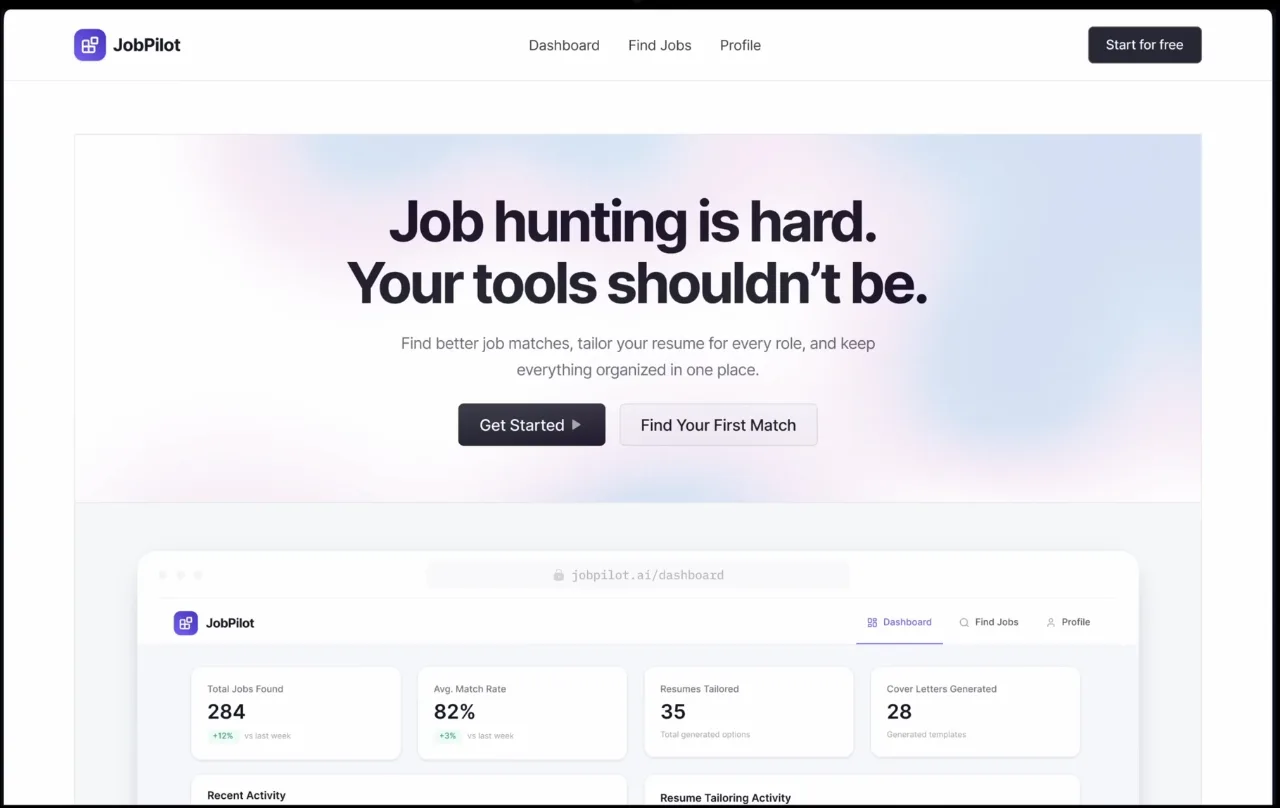
Search, scoring, tailoring and research sit behind one authenticated session rather than across four separate tools — which is the entire argument for building it. 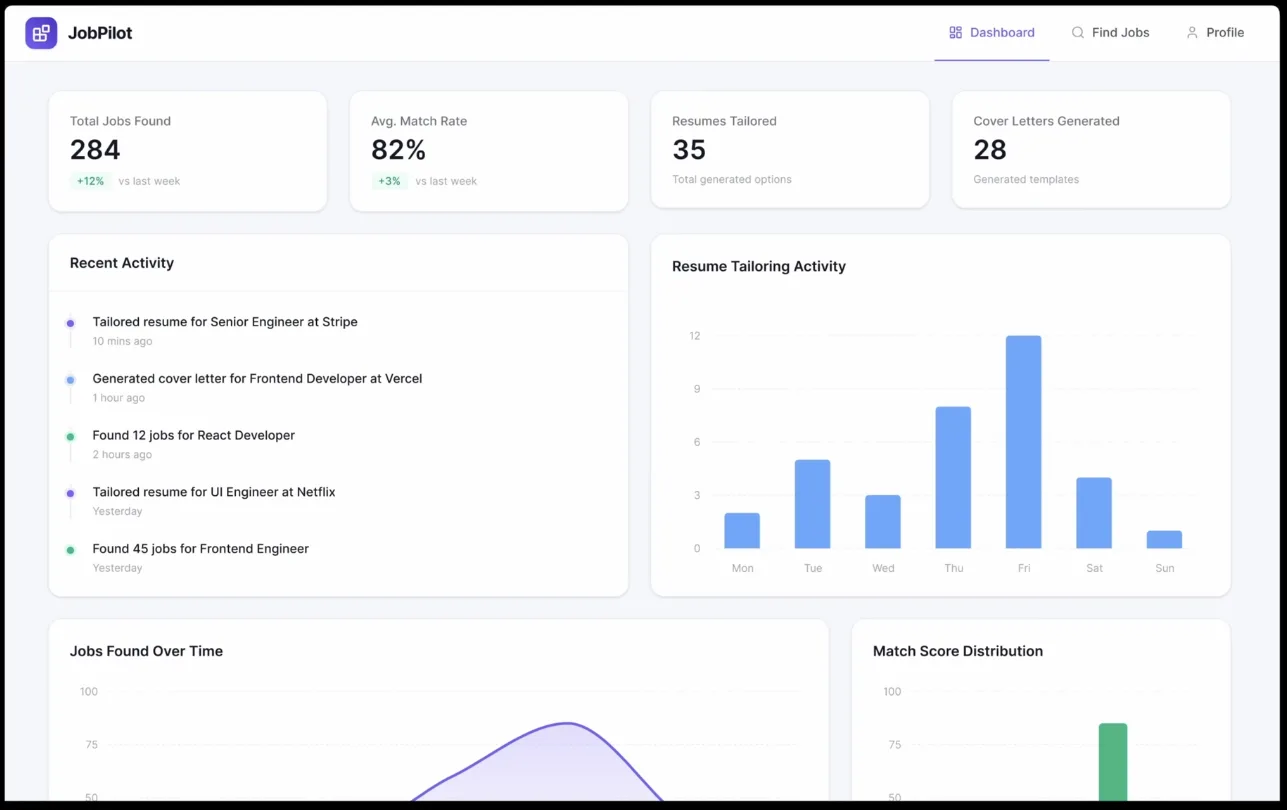
Counts and match-score distribution aggregated across saved jobs. The figures shown are the build's seed data, not usage. 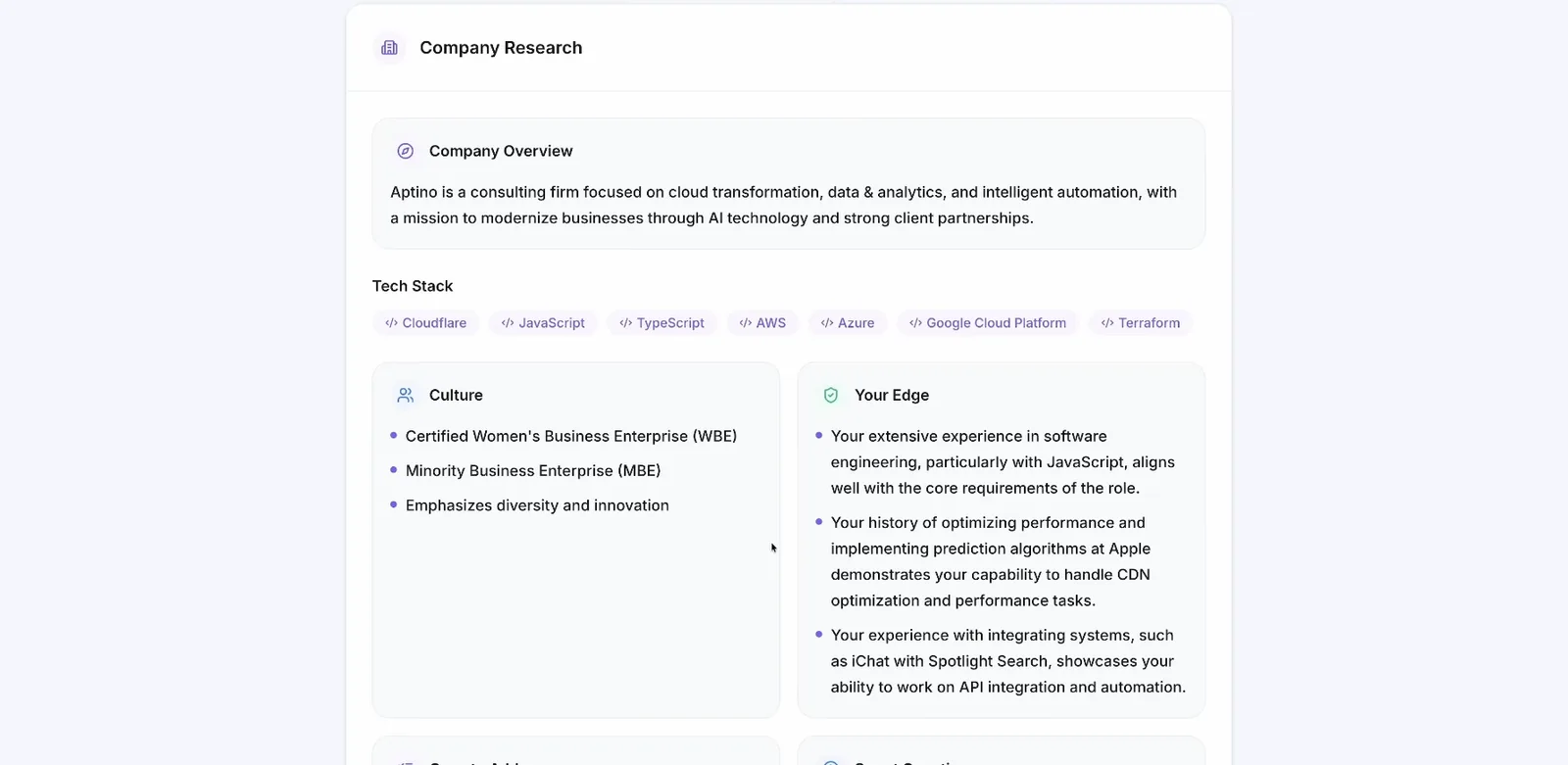
What the agent returns: a structured dossier, not a page dump — overview, detected stack, culture signals, and the argued overlap between the posting and the candidate's own history. Shown against a sample profile.
Decisions
Where should the browser actually run?
ChoseA managed browser session in the cloud
Instead ofHeadless Chrome on the application server
Local headless is the obvious choice and the wrong one here. It falls over under load, it is detectable as automation by exactly the sites that need reading, and it competes with request handling for memory on the same box. A managed session also records itself, which means a run that produced a bad dossier can be watched back rather than reasoned about from logs.
How should the agent read a page it has never seen?
ChoseNatural-language extraction against a described target
Instead ofCSS selectors written per site
A selector encodes one company's DOM. There is no shared markup across thousands of employer sites, so a selector-based scraper is a maintenance surface that grows by one every time a user researches a new company. Describing what is wanted instead — what this company does, who it sells to, what it recently shipped — is the only formulation that survives contact with a site nobody has looked at.
What should a model call be allowed to return?
ChoseTyped structured output, validated at the boundary
Instead ofProse to be parsed downstream
Every model call in this app feeds a database column or a rendered panel. Constraining the response to a schema means a malformed generation fails where it is produced rather than three layers later, and it is what lets a dossier render as fields — stack, culture, your edge — instead of as a wall of paragraphs the interface has to guess the shape of.
What happens when the same job is opened twice?
ChosePersist the dossier and render the saved one
Instead ofResearching again on each visit
A research run opens a real browser session and makes several model calls, so it has a real per-run cost. Storing the result against the job and hiding the trigger once it exists makes the second visit free, and makes the expensive path run once per job by construction rather than by the user remembering not to click twice.
Where it got to
- The stack
- Next.js and TypeScript, with a backend platform supplying Postgres, OAuth and object storage; Adzuna for discovery; Browserbase with Stagehand driving the browser agent; OpenAI for extraction, scoring and synthesis; PostHog for analytics and session replay.
- The data path
- Résumés in object storage, profile and jobs as user-scoped rows, and each company dossier persisted against the job it belongs to. Every read is scoped to the authenticated user in the route that serves it, never filtered down in the client.
- The expensive path, contained
- Browser sessions and model calls are the only operations here that cost real money per invocation. They are all user-triggered, single-session, and written once — which is a cost design as much as an architecture one.